Akash Kandil Balcony
Rising · New
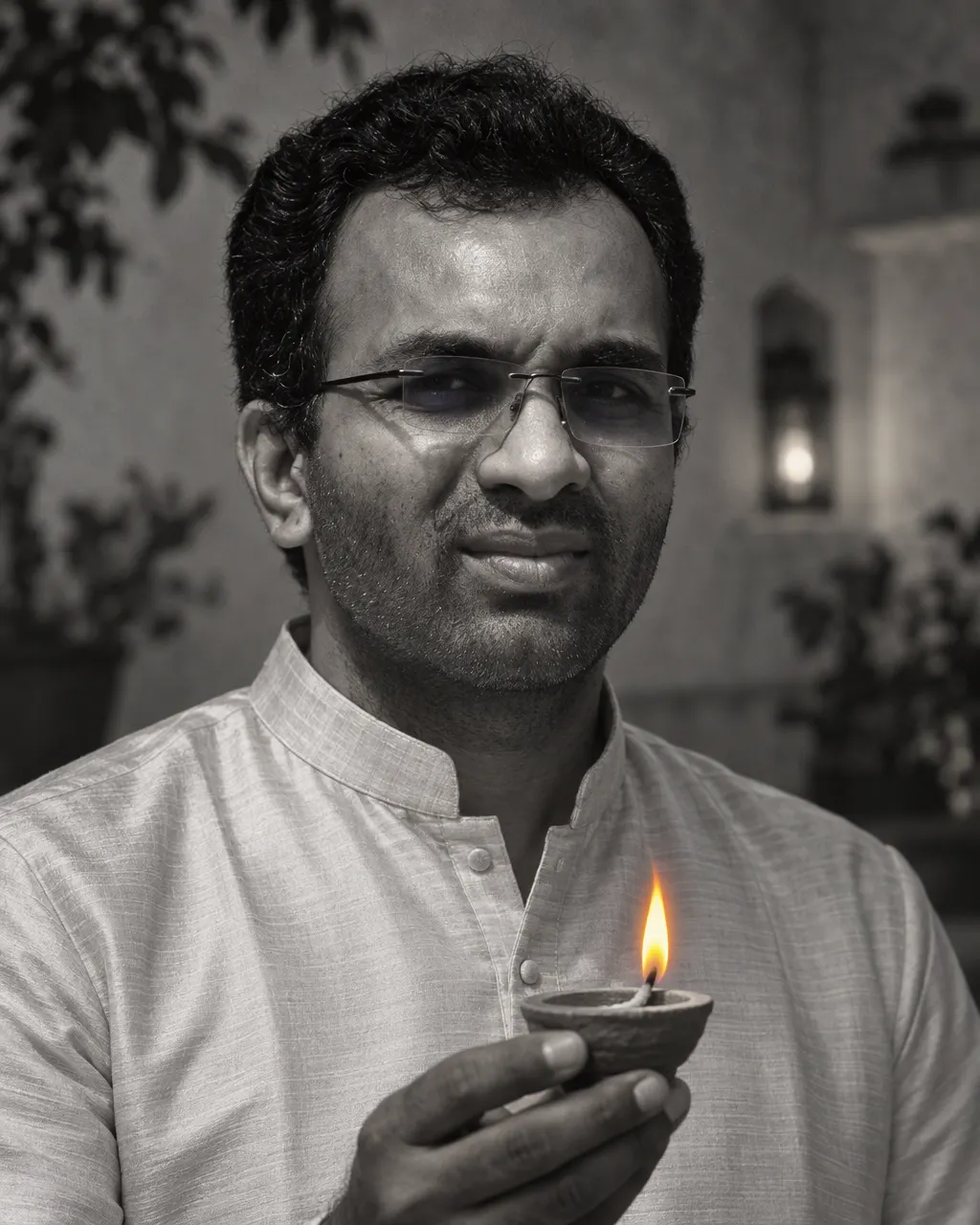
A black-and-white Diwali portrait with only the diya flames glowing in colour.
Using my uploaded photo, keep my face, facial features, age, body shape and hairstyle unchanged, preserving my natural skin tone before converting it to black and white. Create a close face-and-shoulders Diwali portrait wearing . Keep my face large and recognisable, eyes toward the camera with a soft smile. Show one hand at the lower edge holding a small unpainted terracotta diya safely below my chin, with a cotton wick and one flame. Set the scene against at dusk. Render everything in true black and white except the diya flame, which retains its yellow core and orange tip; reflected light on skin, clothing and clay must remain monochrome. Use soft side lighting, a gentle fill on the face, and an 85mm portrait lens with shallow depth of field. Finish with realistic skin texture, fine silver-gelatin grain and rich charcoal shadows. Vertical 4:5. No extra people, plastic-smooth skin, garbled text, logos, distorted fingers, oversized flames or colour anywhere outside the flame. Convert the entire image, including the terracotta diya and all reflected light, to neutral grayscale. Restore yellow and orange only within the flame itself, with no colour spilling onto the wick, clay, skin or clothing.
Add to it
If it drifts: If colour spills onto the face or outfit, ask for a strict monochrome mask everywhere except the flame itself.